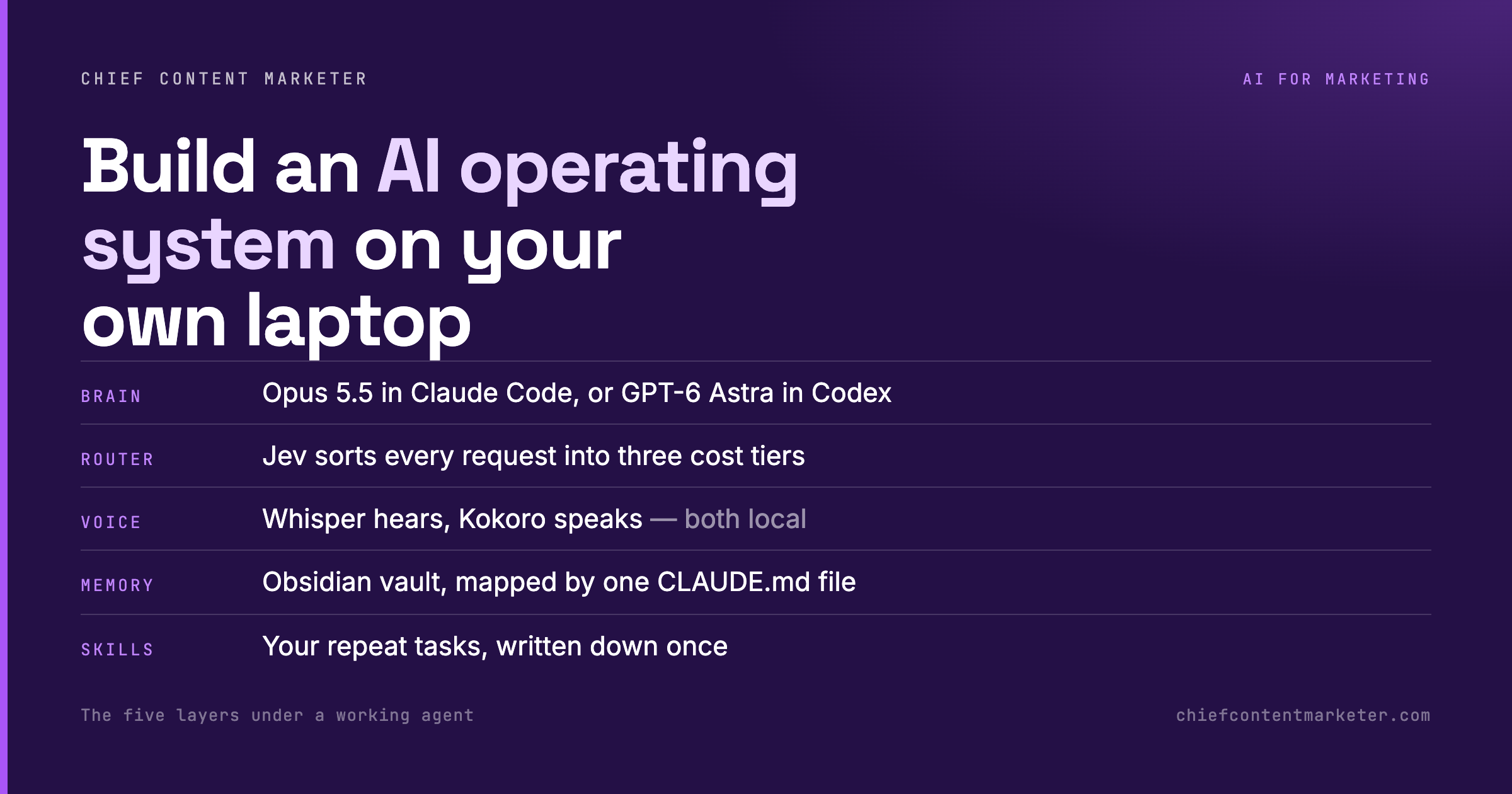
Most people use AI as a chat window: ask, get an answer, lose the thread. A small but growing group of builders runs something closer to an operating system instead, with a switchable brain, a router that sends cheap requests to cheap models, local voice, a memory vault and reusable skills. Here is the architecture, and the cheapest path to building your own.
Watch · 8 slides
The five-layer stack
Build in this order. Each layer is useless without the one above it.
The default experience of AI is stateless. You open a window, ask, read, close it, and tomorrow nothing carries over. That is fine for a one-off question and terrible for work you repeat every day. An agentic setup inverts it: instead of you re-explaining context forever, the system holds your memory, your standards and your repeat tasks, so every request starts where the last one ended.
The Idea
A Chatbot Forgets. An Operating System Remembers.
The difference is not the model. It is everything around the model. A chat window has no memory, no routing, no notion of what you do on a Tuesday morning. An operating system has all three, plus a way to speak and a way to act.
Think of it as five layers stacked on top of each other. The brain is whichever frontier model you point at. The router decides which requests even reach the brain. The voice is how you talk to it hands-free. The memory is where everything lands. The skills are the repeat work, written down once so the system runs it without you.
The Stack
The Five Layers, In Build Order
Each layer is only worth building once the one above it works. Do not start at the bottom.
1
Brain: keep it switchable
Run a frontier model inside Claude Code, or the equivalent inside Codex, and keep one switch between them. When a model launches or a price drops, you change a setting, not an architecture. The mistake is hard-coding a single provider into your workflow.
2
Router: sort before you spend
Put a cheap sorter in front of the expensive model. Tier one is rules and saved data, no model at all: “what are my priorities” is a lookup. Tier two is a small fast model for quick summaries. Tier three is the real work, which opens a terminal or runs a skill in the background.
3
Voice: run it locally
Speech to text and text to speech are solved and free. faster-whisper handles the ears, kokoro-onnx handles the voice, and both run on your machine, so your audio never leaves it. This is the layer that makes the system usable away from a keyboard.
4
Memory: one vault, one map
Point everything at a single Obsidian vault: raw captures in one folder, organized notes in another, finished output in a third. Then write one CLAUDE.md file that tells the model where each folder lives. That file is the difference between a notes app and a memory.
5
Skills: write your repeat work down once
A skill is a task described once so the system can run it again: a morning brief at 6:30, a repurposing run whenever a video goes live, a weekly digest on Fridays. If you are not sure what to build first, ask the model which tasks you repeated most in the last thirty days.
The model was never the product. The system you build around it is.
Source: Chief Content Marketer
The Router
Cheap Requests Should Stay Cheap
Most of what you ask a personal assistant does not need a frontier model. “What are my priorities?” is a lookup against data you already have. “Summarize today’s news” is a small-model job. Meanwhile the actual work, research, drafting, running a script, is the only part that deserves the expensive model.
Without a router, every request pays frontier prices and frontier latency, and the system feels slow enough that you stop reaching for it. Three tiers is not an engineering luxury. It is the difference between a tool you use all day and one you avoid.
3
routing tiers: rules, a small model, a real terminal. Most personal assistants skip the first two and pay for the third every single time.
Start with two layers
Do not build all five this weekend. Get memory working first, which is a vault and one CLAUDE.md file, then automate one task you already do every week. The rest of the stack only earns its place once those two are visibly saving you time.
Bottom Line
The Gain Is In the Plumbing
Everyone is chasing the next model. The people getting real work out of AI are the ones who built the plumbing: a place for memory, a way to sort requests, a voice that works without a screen, and a handful of skills that fire on schedule.
None of it is exotic. Obsidian is free, Whisper and Kokoro are open source, Claude Code and Codex are a subscription you probably already have. The work is in wiring them together, and the order you do it in.
Get Smarter With AI, Every Week
Practical AI workflows for content marketers, one short email at a time. No fluff, no vendor spam.