




Every video editor knows the math. An eight-minute talking-head clip takes forty minutes of dead-space removal before you make a single creative decision. That’s the tax. It’s the mechanical work that has nothing to do with taste and everything to do with time. Claude Code now pays that tax for you, once you set it up.
It’s an agent that reads your footage folder, follows a style you define, and hands back an edit you approve before it renders. You keep the creative calls. The agent takes the typing. That’s the whole shift.
What Is Claude Code Video Editing?
Claude Code video editing means running a video-editor agent inside Claude Code on your own machine. You point it at a folder of raw clips. The agent runs the mechanical pass. It removes dead space, burns in captions, applies motion graphics, places sound effects and generates a music bed. You approve a storyboard before it renders and review the cut afterward. The model never ships a decision you didn’t see.
The Boring 80% Is Now a Prompt
For years the editing bottleneck was labour, not judgement. Pulling the ums. Aligning captions. Cutting to a rhythm. Laying a music bed. None of it needs taste, and all of it eats the afternoon.
A video-editor agent running inside Claude Code changes the economics. Hand it a folder of raw clips and it returns a cut. Dead space gone, captions burned in, motion graphics applied, sound effects placed, and a generated music bed underneath. What used to be the entire job is now the starting point. What’s left is the part that needs you: the hook, the pacing, the call about what the video is for.
Video is where the attention is. Short-form clips are the default way buyers first meet a product, and every platform rewards teams that publish often. The winners removed the mechanical work from the critical path. The size of the editing budget came last.
Sources: Wyzowl Video Marketing Statistics, Cisco Visual Networking Index, HubSpot Video Marketing Statistics.
Setting It Up Once
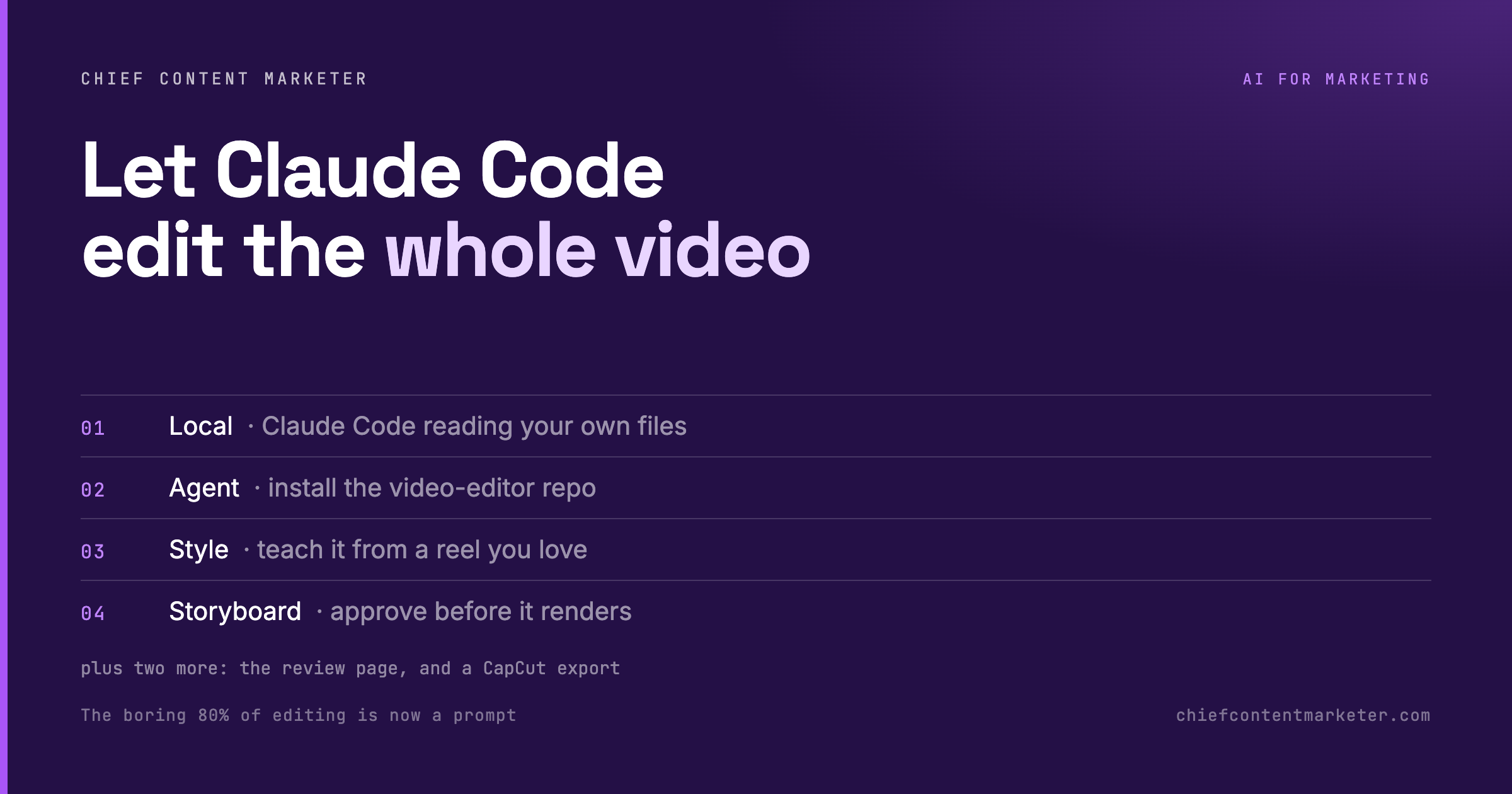
Six steps, sequential. Each hands the next something concrete, which is why the whole thing runs without a specialist in the loop. Do them in order the first time. After that, your only recurring input is the footage.
The Storyboard Is the Control Point
Step five is the one that makes this usable. Before a single frame renders, the agent shows a storyboard of every line. That’s the difference between automation that saves you time and automation that burns a day.
Most “AI edited my video” workflows fall down here. The model makes a hundred small decisions you never approved, and you only find them after the render. A storyboard moves approval upstream. You see the plan. You correct it once. The render matches your intent. The review page continues the logic. Instead of re-prompting the whole video to fix one caption, you point at the exact second and it rebuilds only what changed.

That’s also why the agent fits a real editing habit. Editors already work from an assembly cut and a shot list. The agent just produces the first draft of both, and you direct from there, exactly as you would with a junior editor who needs notes.
What Claude Code Actually Does to Your Footage
The agent is a first-cut editor. It’s reliable on the mechanical pass and hands the taste calls back to you. Here’s the split, task by task.
| Editing task | What the agent produces | What still needs you |
|---|---|---|
| Dead-space cut | Removes the ums, pauses and false starts across the whole timeline. | Approve the storyboard so the rhythm matches your intent. |
| Captions | Burns in synced captions with the style it learned from your reference. | Fix the odd mis-heard word before publish. |
| Motion graphics | Applies lower-thirds, transitions and text beats from the style guide. | Pick the reference that defines the look. |
| Sound effects | Places whooshes, clicks and transitions on the cut points. | Cut any effect that fights the message. |
| Music bed | Generates and lays a royalty-safe track under the voice. | Approve the vibe and the level. |
| Hook and pacing | Leaves the first three seconds and the narrative arc untouched. | Always you. This is the part that makes the video yours. |
If your clip needs a signature visual language, the same style-guide idea carries over from still design. Our breakdown of Claude animation styles shows how to name a look precisely enough that a model reproduces it instead of inventing one.
Claude Code Agent vs. Auto-Edit vs. Manual
Auto-edit tools like CapCut get you a fast cut, but they decide the look for you and stop there. A manual editor gives you full control at the cost of your afternoon. The agent sits between them: mechanical work automated, creative decisions kept.
| Capability | Claude Code agent | CapCut auto-edit | Manual NLE |
|---|---|---|---|
| Cut dead space | Yes, full timeline | Yes, template-bound | By hand |
| Follows your style | Yes, from a style guide | No, fixed presets | Yes, but slow |
| Approval step | Storyboard before render | After export only | Throughout |
| Cost of a redo | Point at one second | Re-cut the template | Re-edit by hand |
| Best for | Solo creators shipping weekly | One-off social clips | Brand-critical launches |
For polishing the final export, a dedicated editor still earns its place. Descript handles text-based video editing and studio sound when the agent’s first cut needs a human pass before it ships.
Where It Breaks Down
The agent is a first-cut editor, and a first cut has edges. Know where they are before you hand it something that matters.
Long-form is still a human job. The workflow shines on short-form: reels, shorts, talking-head clips under a few minutes. A 40-minute interview still needs a human pass for story, and the agent will cut it in a way that loses the thread.
Bad audio can’t be edited into good audio. The agent removes dead space. It doesn’t fix a blown mic or a noisy room. Record clean and the cut stays clean.
Generated music needs a licence check. A royalty-safe track isn’t the same as a cleared one for every platform. Read the terms before you put a generated bed under a paid ad.
It runs on your machine, so your machine matters. Local processing means render time scales with your hardware. A laptop that struggles with 4K will feel it on a long timeline.
What a Solo Operator Actually Gains
The real shift is the distance between “I have footage” and “I have a finished, captioned, scored cut.” That distance collapses from an afternoon to a review cycle. For a solo creator or a two-person team, that’s the difference between one video a week and three.
The math isn’t subtle. A forty-minute dead-space pass on an eight-minute clip is gone. The caption pass is gone. The music bed and the motion graphics are gone. What’s left is the review, which is where your judgement actually adds value.
The same pattern shows up everywhere Claude Code touches a manual workflow. We walked through it for demand-gen lead research and CRM automation, and for generating video from code instead of a generator. The lesson carries: automate the mechanical pass, keep the decisions.
If your bottleneck is the creative direction rather than the cut, the fix is upstream. Our roundup of reference sites that make AI a real designer is where to sharpen the look before you prompt it.
Claude Code Video Editing: Quick Answers
What is Claude Code video editing?
It’s running a video-editor agent inside Claude Code on your own machine and pointing it at a folder of raw clips. The agent cuts dead space, adds captions, motion graphics, sound effects and a music bed, and stops for your storyboard approval before it renders.
Do I need editing experience to use it?
No, but taste helps. You’re directing, not operating a timeline. The agent removes the mechanical work. Your job is choosing the reference style, approving the storyboard and reviewing the cut.
Does it edit in the cloud or on my machine?
On your machine. Claude Code reads and writes files locally, so your footage never leaves your drive and render time depends on your hardware, not a subscription tier.
Can it match a specific editing style?
Yes. You link a reference reel and it converts the cuts, caption treatment and motion graphics into a reusable style guide. That guide is what keeps each new edit on-brand instead of generic.
Is the first cut good enough to publish as-is?
For social clips, sometimes. For anything client-facing, treat it as an assembly cut. Fix a caption, adjust pacing, then export into CapCut, DaVinci Resolve or Descript for the final pass.